
For anyone who reads to understand
A course pack, a scanned chapter, the paper your seminar meets on. Mark it as you read, then print it with your notes beside the lines for revision.
A literature review is a pile of PDFs you keep coming back to. Your highlights and comments download inside the file, so they open in any PDF viewer next time.
A report, a contract, a long article saved as a PDF. The same marker and the same notes, with nothing to install and no account to make.
Drag along a line, the way you would with a marker
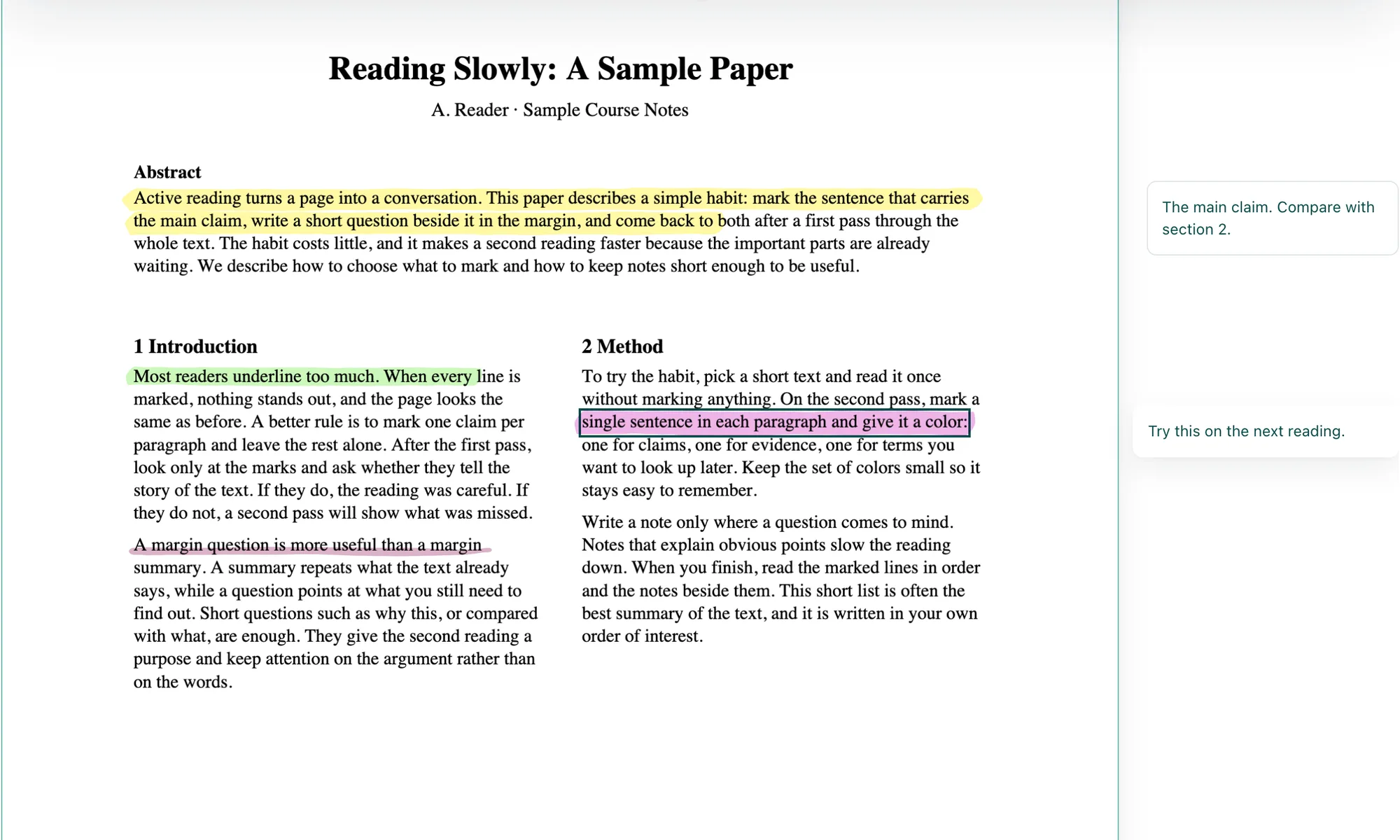
Open the paper and a yellow marker is already in your hand. Drag along a line and the highlight stays straight on it, stopping at the end of its column, so a two-column paper marks cleanly. Drag down to carry it onto the next lines. Double-click marks one word, and a third click its whole sentence.
Change a mark, underline it, or comment beside it
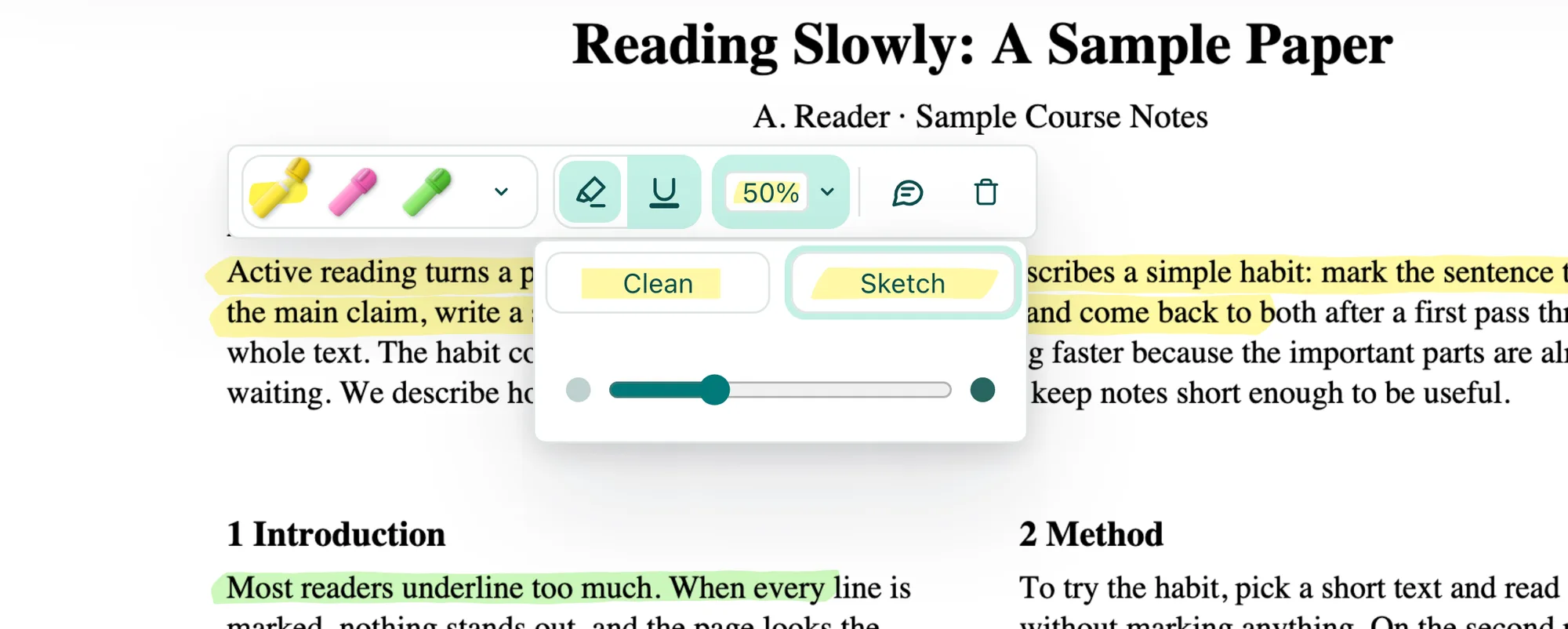
Rest the pointer on a highlight, or tap it on an iPad, and its toolbar opens. Whatever you pick becomes your marker for the next lines, so a color can carry a meaning: yellow for claims, green for methods, pink for the parts you want to question. Pick Sketch and every highlight and underline looks drawn by hand, with a chisel edge and ends that run a little past the line, the same on screen, in print and in the downloaded PDF. Comment opens a card in the margin beside its passage, and the card moves with the page as you scroll and zoom.
Highlight a scanned page that has no text to select
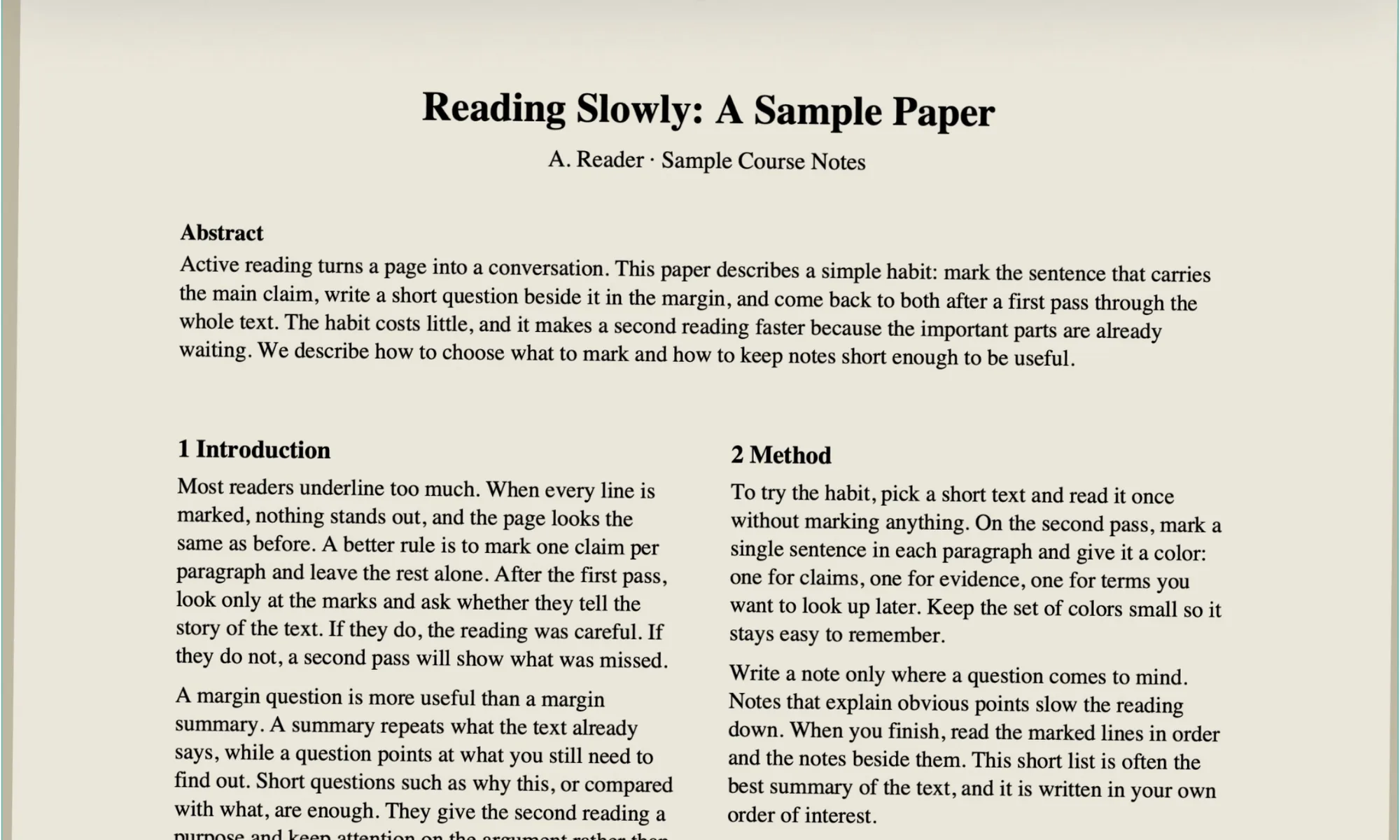 Scanned pageHighlighted
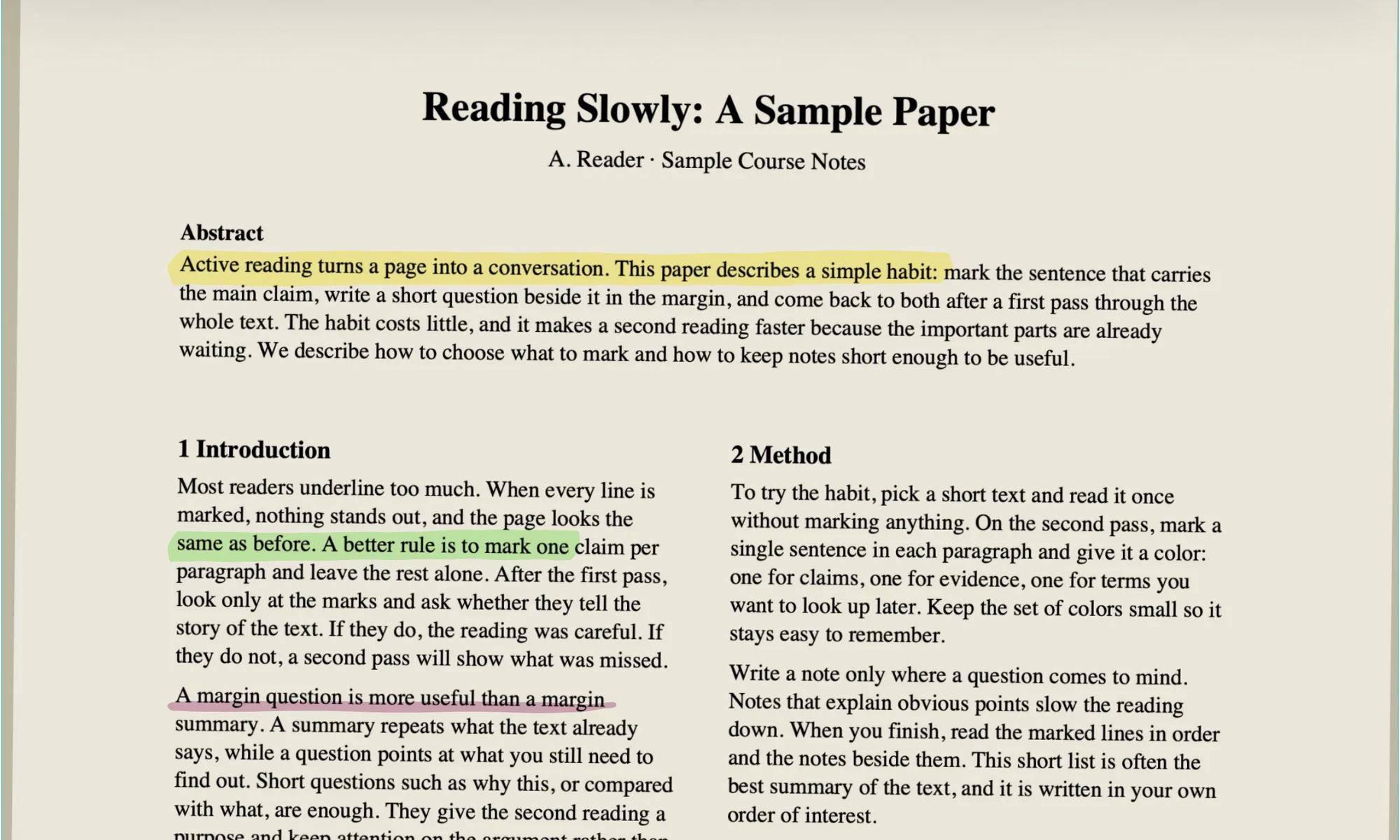
Library scans and photographed pages are images, with no text in them to select. Highlight PDF reads the lines from the page image itself, and the band still lies along each line, the same as on a digital paper. Pages in Hebrew or Arabic work too: on a right-to-left page the highlight follows the line from right to left.
Full screen, with only the paper in front of you
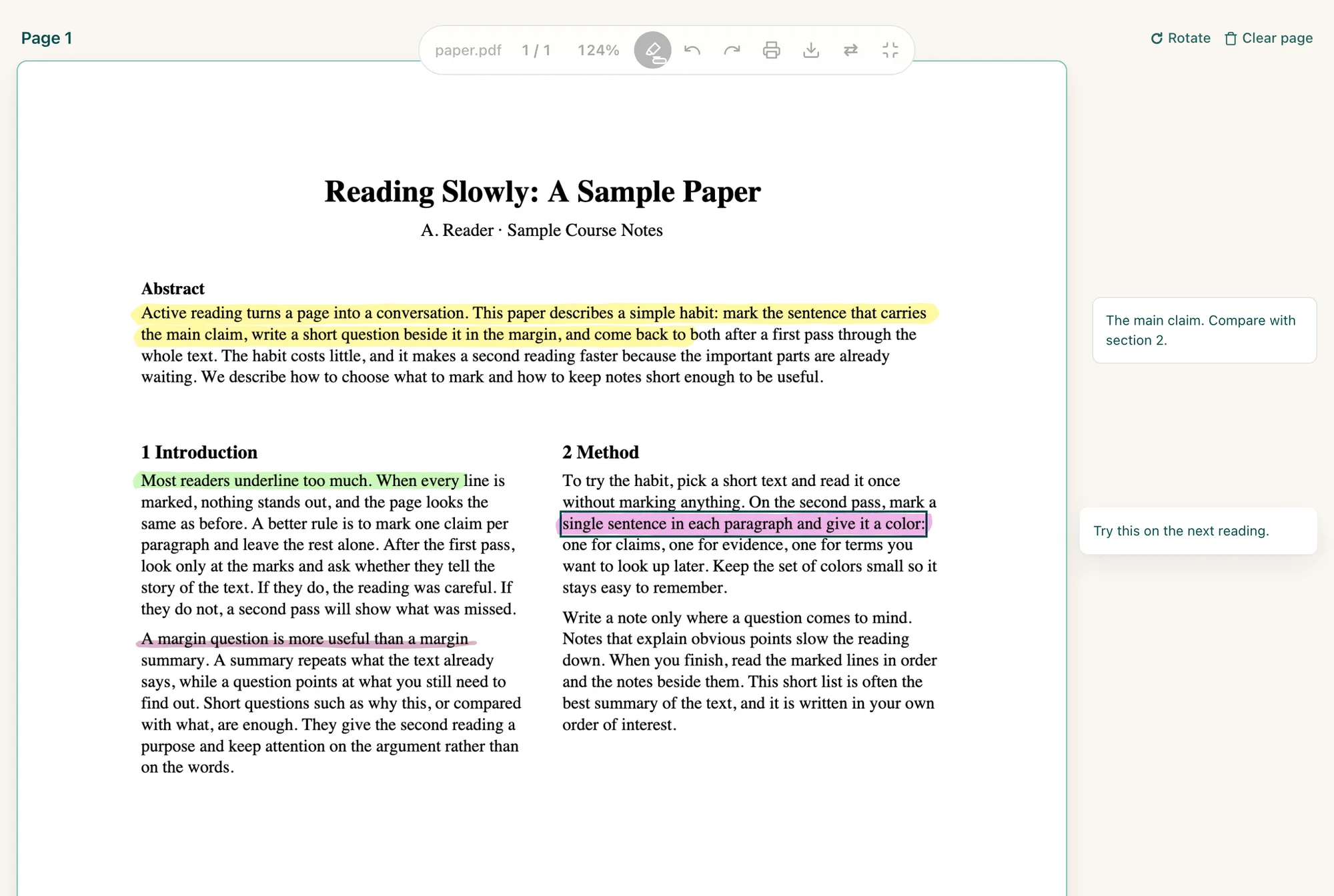
Pull or click the cord under the page for the Reading lamp. The paper fills the screen and a floating capsule holds the page jump, zoom, the marker, Undo, Print and Download. It goes quiet while you read and wakes when you reach for it. Fit text trims the paper's empty margins away, so the words fill the screen.
Three ways to print a marked paper
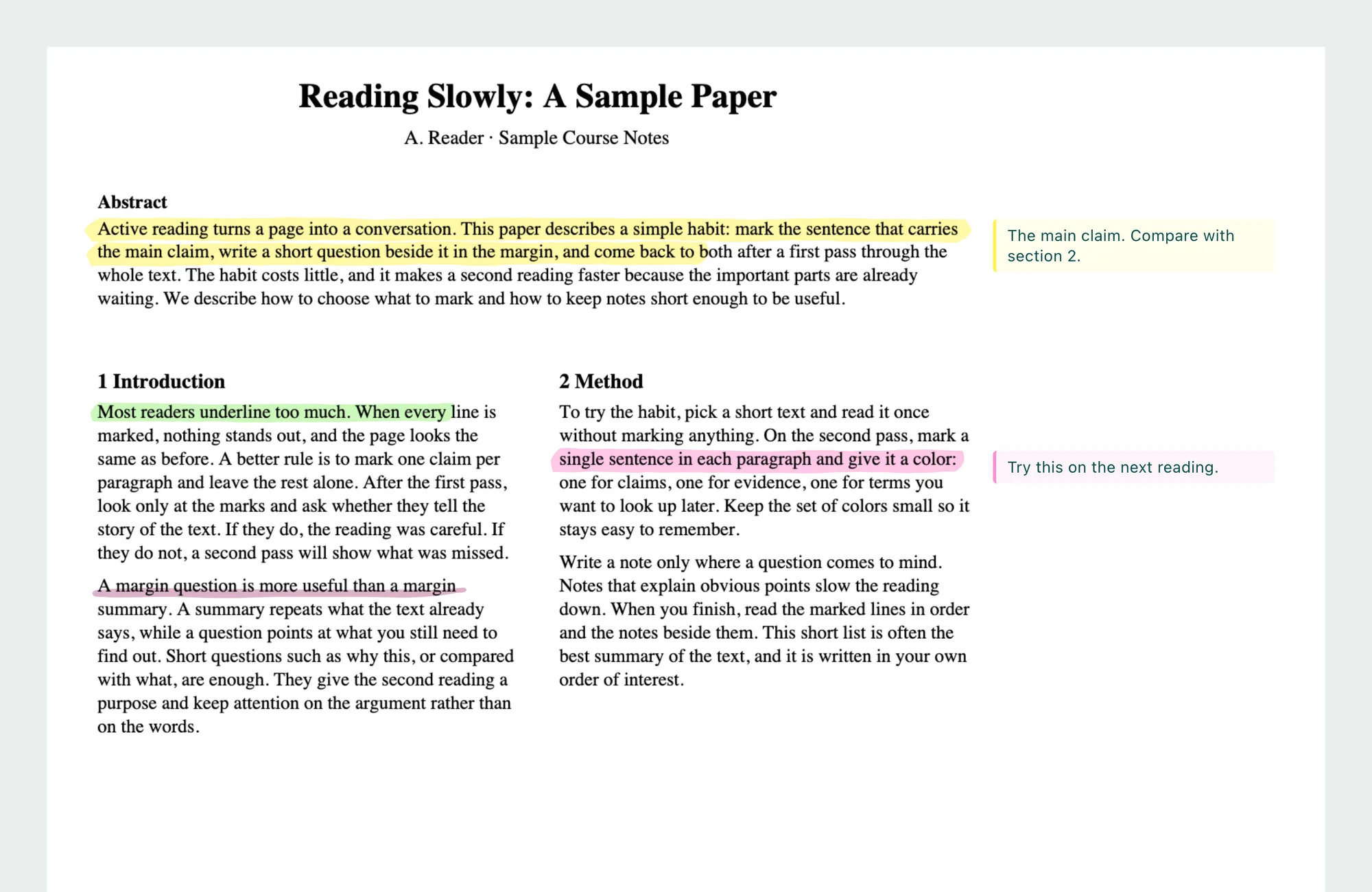
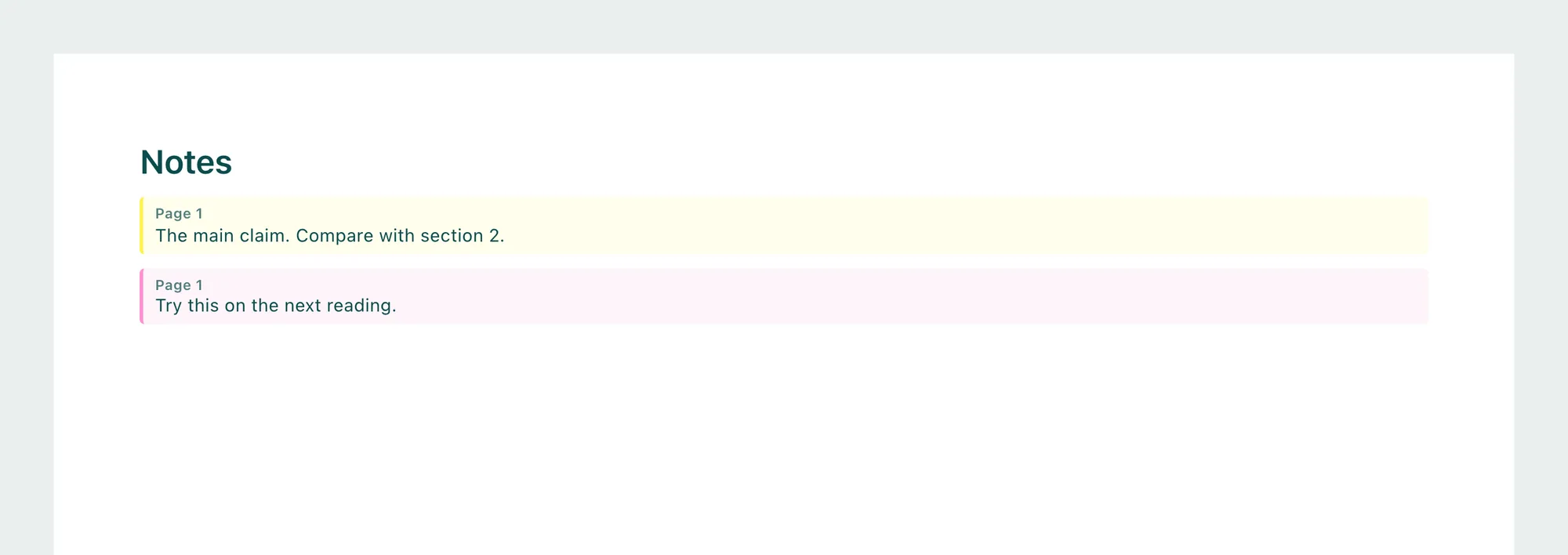
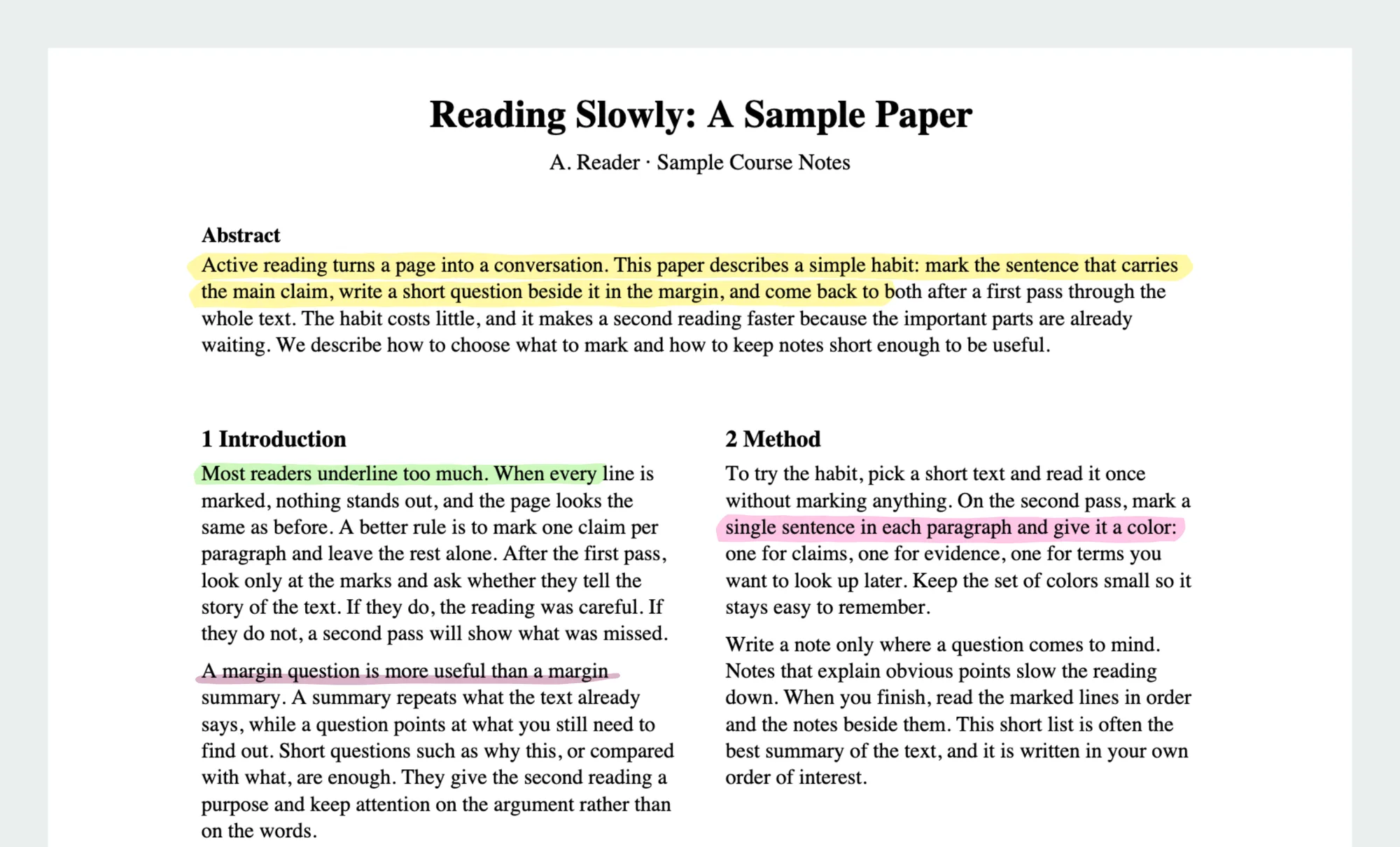
A downloaded PDF keeps each comment as a note that opens on a click, and those notes usually stay off the paper when you print. So Print in Highlight PDF lays the paper out for printing in three ways. The two with notes appear once the paper has a comment.
| Print option | What you get | Good for |
|---|---|---|
| The pages with their highlights and underlines, at full size | Rereading on paper, or a clean copy to bring along | |
| Print with my notes | Each page a little smaller, with every comment in the right margin beside its passage | A seminar or revision, where a note belongs next to its line |
| Print with notes at the end | The pages at full size, then a Notes sheet listing every comment with its page | Long comments, or pages that need all their room |
Your marks stay in the PDF and on your device
| What you need | What to do |
|---|---|
| Share a marked paper with a study partner or a supervisor | Download: highlights and comments are saved as standard PDF annotations that open in any PDF viewer |
| Come back to the paper later | It stays in your recent files on this device with everything you did |
| Edit your marks again after downloading | Open the downloaded file here again and every highlight and comment comes back editable |
Your papers and your notes stay on your device
A draft you are writing, a paper under review, your own thoughts in the margin: none of it is uploaded. The highlighting, the comments and the download all happen in your browser, and once the page has loaded it keeps working with no connection. It is free and open source, with no account, no watermark and no page limit. I think a good way to read should be free for everyone.